SYNTHETIC CREDIT CARD EXAMPLE
Convert a credit card statement to CSV
Credit card purchases and fees are shown as negative amounts; refunds and payments are positive. Check the account, sign convention, and closing balance before import.
Expected output for Example Card
Synthetic example. We processed this synthetic PDF on 4 October 2026 and matched the expected table: 5 credit-card rows. Use the source preview to check purchases, refunds, payments, and fees. This page keeps the table as a static reference for review and export demonstration.
Source page preview
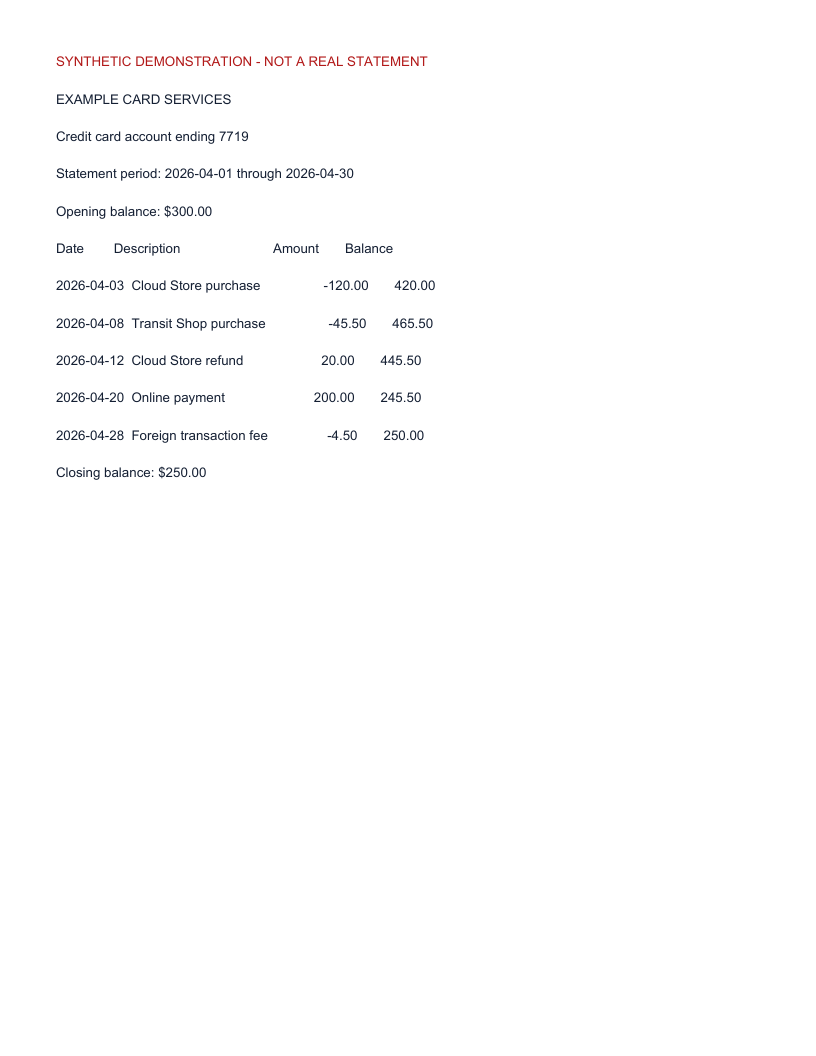
Synthetic source preview. Amounts are signed for credit card activity.
Matched transaction table
| Date | Description | Amount | Balance |
|---|---|---|---|
| 2026-04-03 | Cloud Store purchase | USD -120.00 | USD 420.00 |
| 2026-04-08 | Transit Shop purchase | USD -45.50 | USD 465.50 |
| 2026-04-12 | Cloud Store refund | USD 20.00 | USD 445.50 |
| 2026-04-20 | Online payment | USD 200.00 | USD 245.50 |
| 2026-04-28 | Foreign transaction fee | USD -4.50 | USD 250.00 |
5 expected rows · Opening $300.00 minus net card activity $50.00 equals closing $250.00.
Review and demonstrate an edit
Compare each row with the source preview, confirm the date and signed amount, then restore the source value before export. For example, changing the -120.00 purchase to +120.00 creates a $240.00 balance difference; restore -120.00 from the source and recheck. Keep the corrected source value as the final row so an edit history does not preserve a misleading wrong amount. A matching balance is a consistency check, not an accuracy guarantee.
Pay attention to purchases, refunds, payments, and fees: the sign communicates the direction of the card activity.
The Convert your own file link opens the workspace; it does not automatically load this synthetic sample.